MCP and Integrations
Create API keys and connect Google Analytics.
Go to Settings → MCP & Integrations.
Connect via MCP
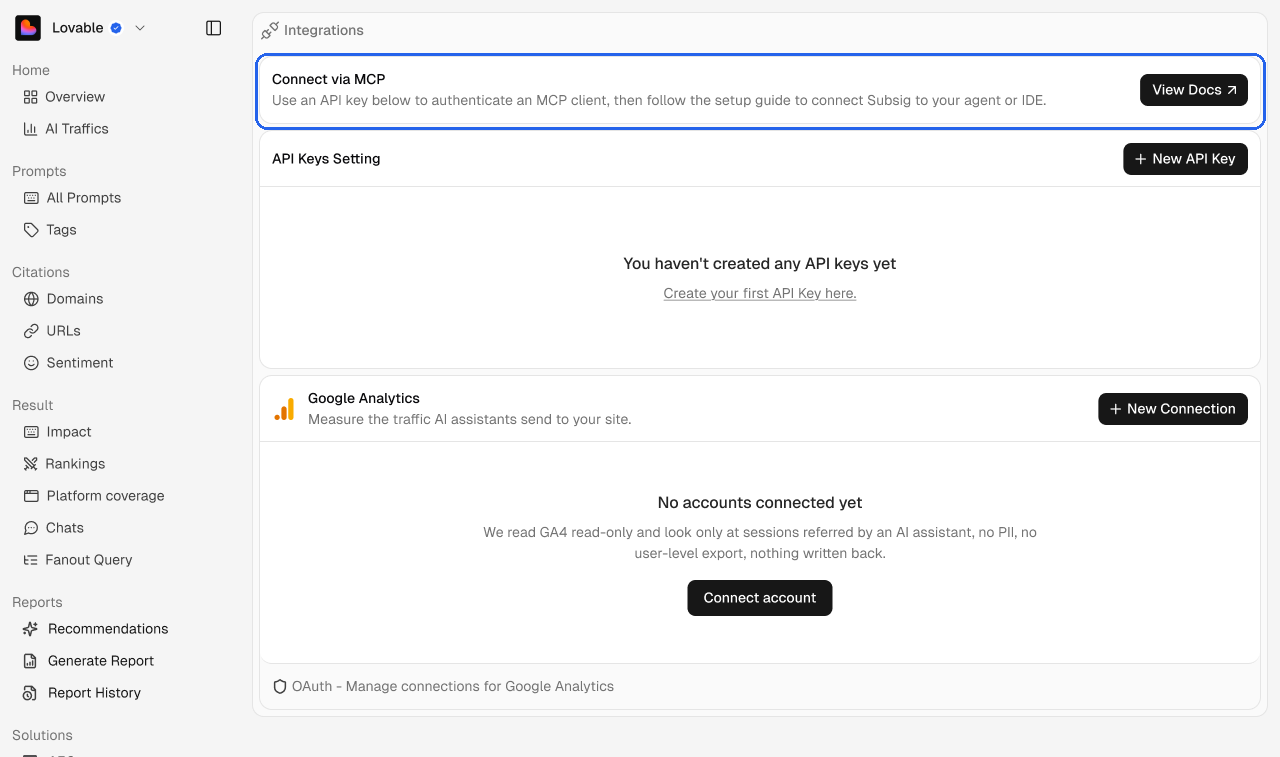
Use an API key to connect an MCP client, such as Claude, to your Subsig data. Click View Docs to open Agents and MCPs.
API keys
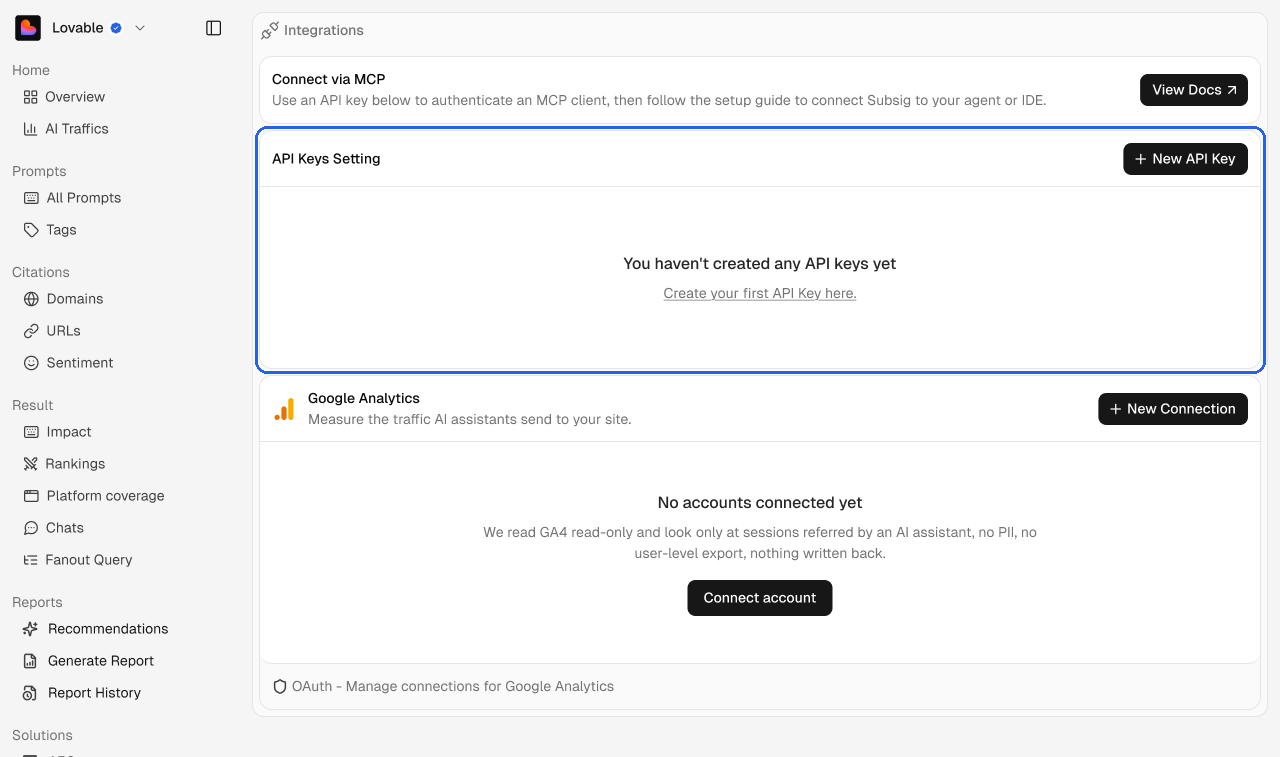
Click New API Key.
Copy the key. It starts with
sk_live_and is only shown once.Paste it into your MCP client.
Google Analytics
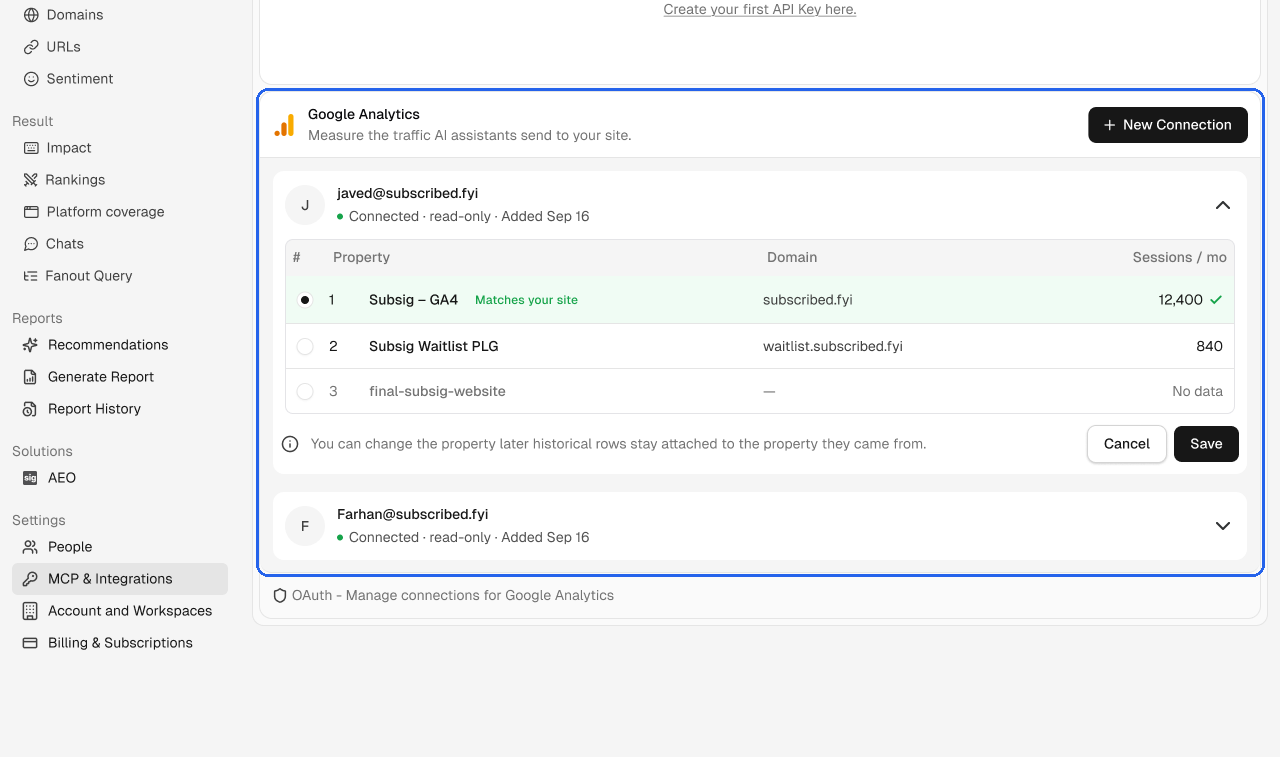
Connect Google Analytics to measure the traffic AI assistants send to your site. It powers AI Traffic.
Click New Connection and sign in with Google. Subsig only gets read-only access.
Choose the property that matches your site. We mark it Matches your site when the domain lines up.
Click Save.
You can connect more than one Google account. Each one shows its email, status and the date it was added. You can change the property later. Historical data stays attached to the property it came from.
💡 Pick the property with real session numbers. A property that shows No data won't feed AI Traffic.