Social Platforms
Mentions List
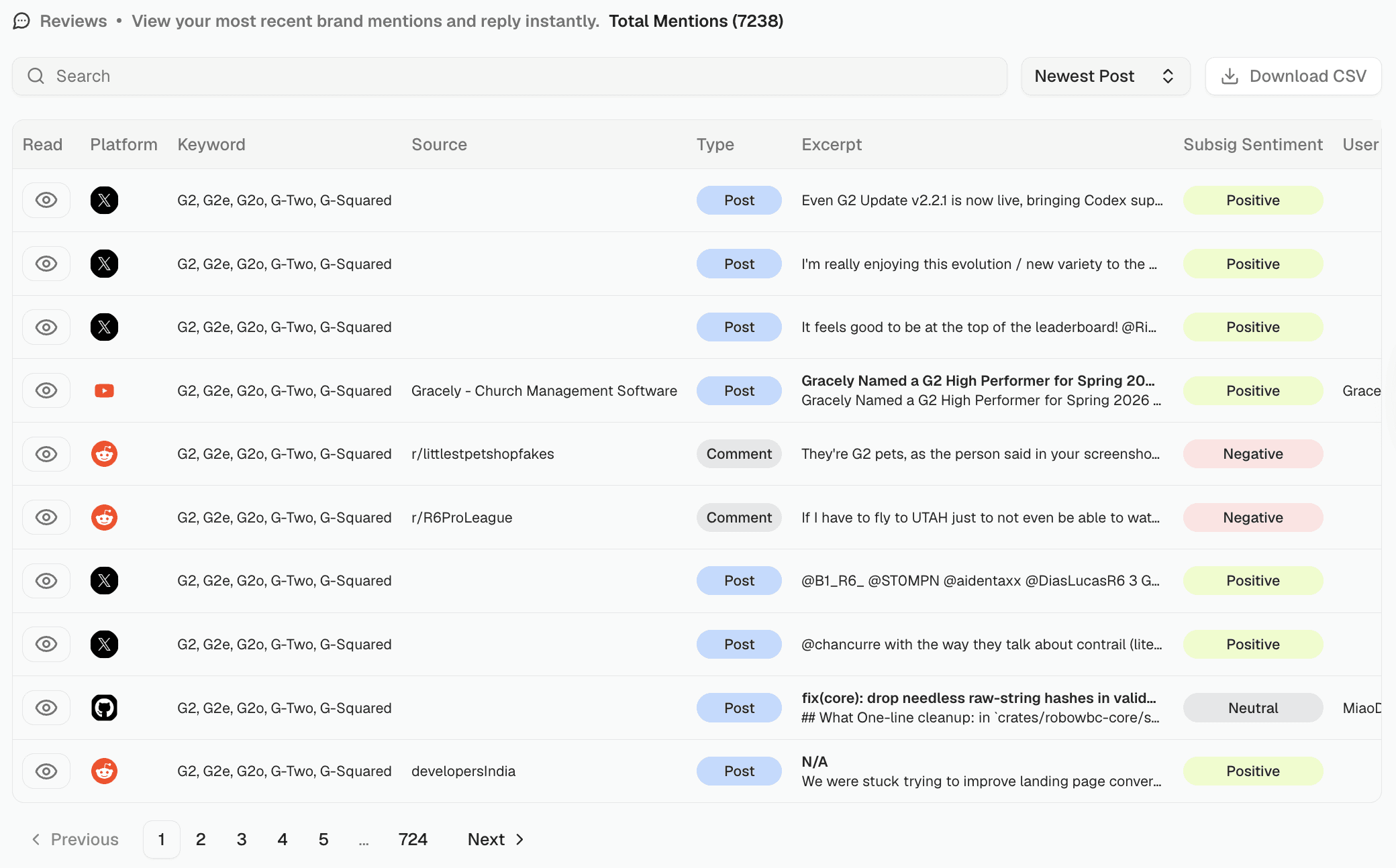
Browse and search every individual mention across all tracked social platforms.
Go to Social Platforms → Mentions.
Columns
Each row shows:
Platform — the social platform (Reddit, GitHub, X, etc.)
Keywords — which of your tracked keywords triggered this mention
Source — where within the platform the mention appeared (e.g. a subreddit like
r/productivity, a YouTube channel name, or a GitHub repo)Type — what kind of content it is (see Mention Types)
Content — a preview of the mention text. Click View to open the full original post in a new tab.
Sentiment — Positive, Neutral, or Negative for this individual mention
User — the person who posted it
Creation date — when it was posted
Searching and sorting
Use the Search bar to find mentions by keyword, content, or username. Sort by Most Recent to see the latest activity first.
Exporting
Click Download CSV to download mentions matching your current filters, same behavior as Reviews CSV Export.
