Notifications
Create a Notification
Set up an alert for new reviews or social mentions, delivered to any channel on your schedule.
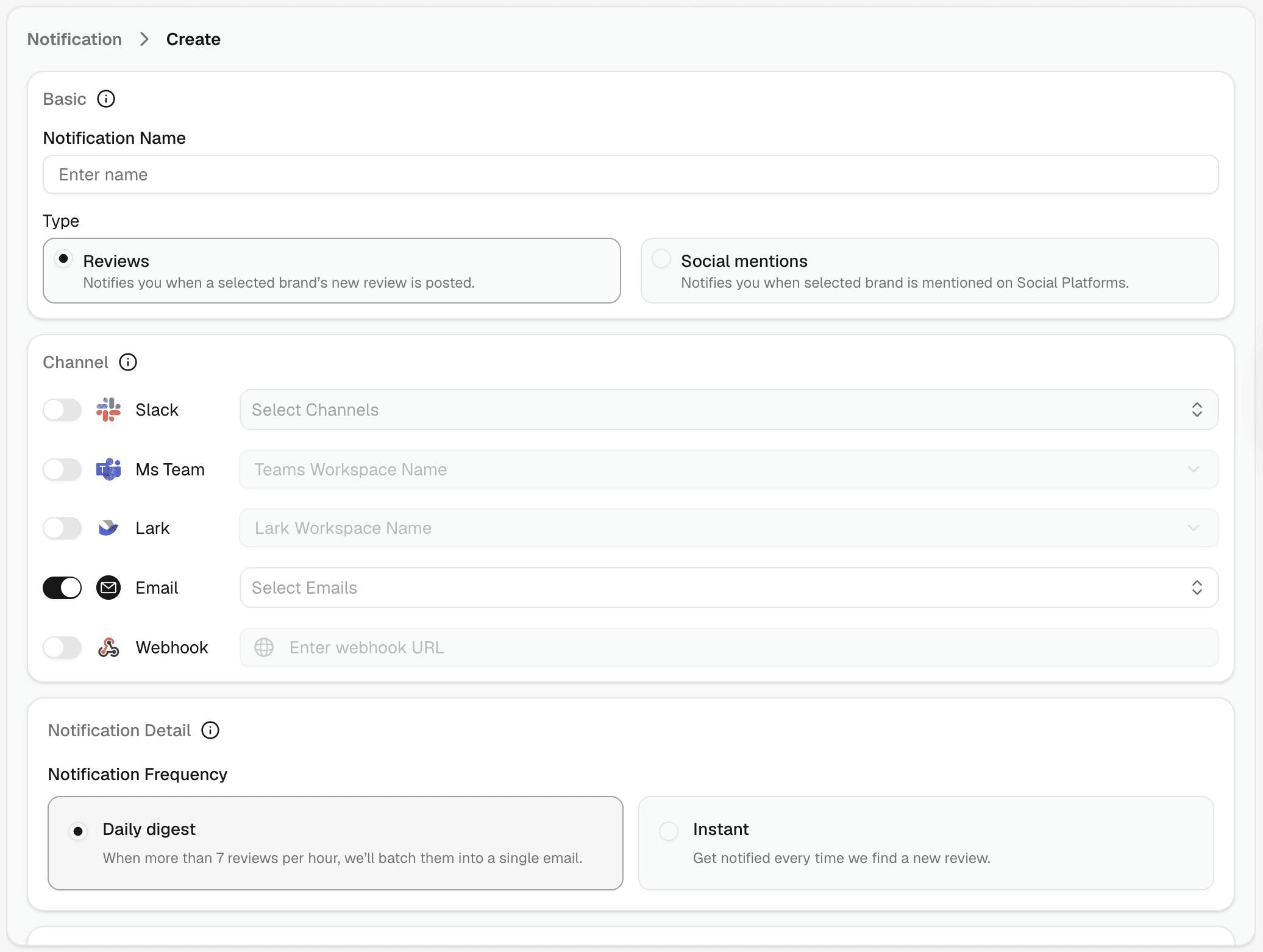
Go to Notification → Create Notification.
Step 1 — Name it
Give the notification a clear name so you can find it later. Be specific: "Critical Reviews – G2" is more useful than "Reviews Alert".
Step 2 — Choose a type
Reviews — fires when a new review is posted on any connected platform
Social mentions — fires when your brand keywords are mentioned on social platforms
Step 3 — Pick channels
Toggle on one or more channels. Each channel has its own configuration — see Channels below.
Step 4 — Set frequency
Choose how often alerts are delivered — see Frequency below.
Step 5 — Select brands and platforms
Under Brands and Platforms + Socials, choose which brand(s) and platforms this notification covers. One notification can span multiple brands and platforms simultaneously.
Step 6 — Apply filters (Reviews only)
Under Review Filters, narrow which reviews trigger the notification — see Review Filters below.
Click Save Notification to activate.