How to Monitor Online Reviews Across Multiple Platforms
Monitoring online reviews across multiple platforms takes a repeatable process: identify every source, set up tracking, centralize the feed, and build a response workflow.
By

Subsig Team

Most businesses check reviews the same inconsistent way: someone remembers to look at Google every couple of weeks, glances at Trustpilot occasionally, and finds out about a G2 review from a colleague who happened to see it. There's no process, just occasional attention.
Monitoring online reviews properly means setting up a repeatable way to find new reviews as they're posted, across every platform that matters for the business, without relying on someone remembering to check. That's a solvable problem with a specific process, not a vague ongoing task.
This article walks through that process step by step: what to set up before you start, how to track reviews on Google, G2, Trustpilot, and other major platforms specifically, and how to build a workflow around it that actually gets used.
What You Need Before You Start Monitoring Reviews
Before setting up tracking, confirm three things: which platforms are actually relevant to the business, who will own checking and responding to reviews, and how much time that person or team can realistically commit to it each week. Skipping this step is the most common reason review monitoring efforts stall after the first few weeks; the tracking gets set up, but no one is responsible for using it.
The Practical Process for Monitoring Reviews Across Platforms
The process below applies whether a business is tracking two platforms or a dozen. Each step builds on the last.
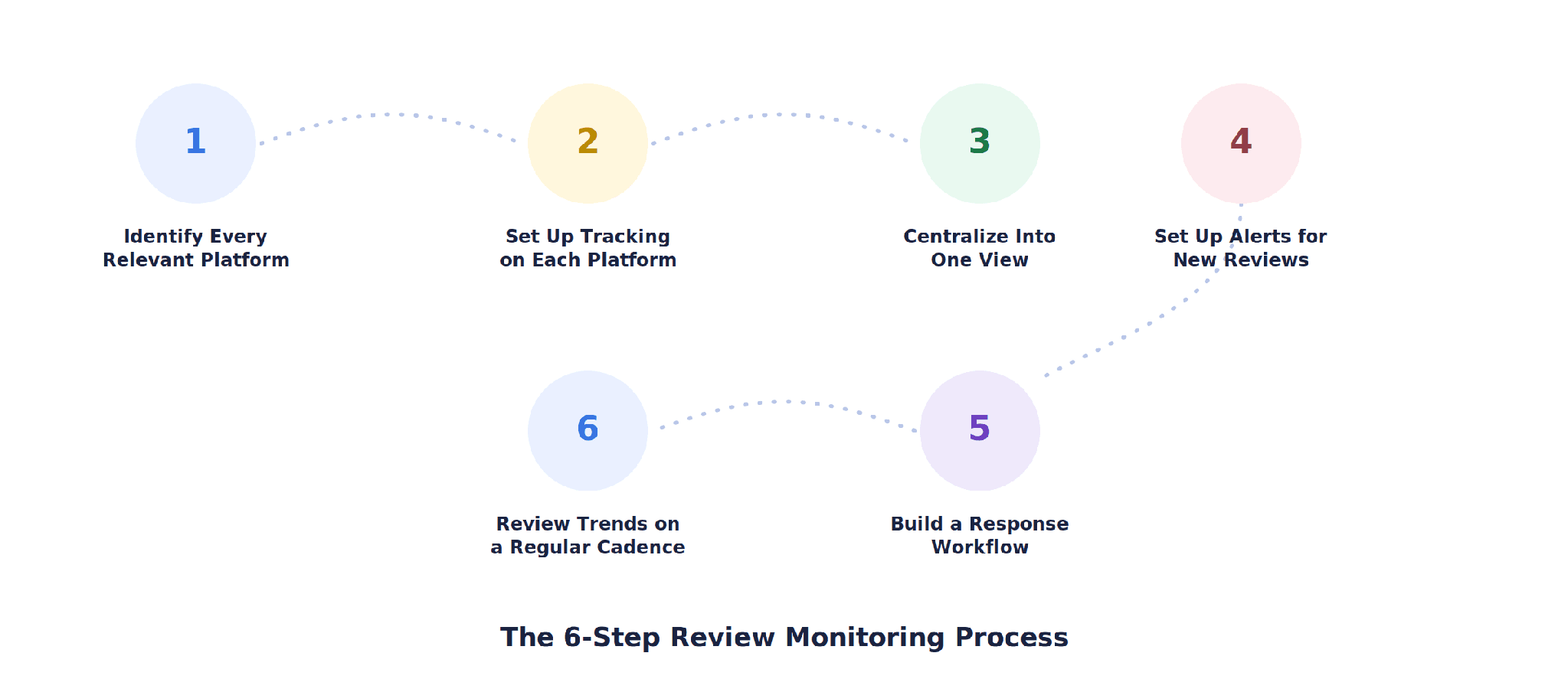
The six-step process: identify platforms → set up tracking → centralize → set up alerts → build a response workflow → review trends on a cadence.
Step 1: Identify Every Platform Where the Business Could Be Reviewed
Start broader than feels necessary. Beyond Google, include industry-specific platforms: G2 and Capterra for B2B software, Healthgrades or Zocdoc for healthcare, TripAdvisor for hospitality, and general platforms like Yelp and the Apple App Store or Google Play for consumer products. A quick search of the business name plus “reviews” often surfaces platforms that don't come to mind by default.
Step 2: Set Up Tracking on Each Priority Platform
This step looks different on every platform, covered in detail in the next section. In general, it means claiming or verifying a business profile and enabling whatever native notification option that platform offers.
Step 3: Centralize Reviews Into One View
Checking five or six separate dashboards is unsustainable past a certain point. Centralizing means either using a monitoring tool that pulls reviews from multiple platforms into a single feed, or, at minimum, forwarding every platform's email alerts into one shared inbox or channel the team actually checks.
Step 4: Set Up Alerts for New Reviews
Most platforms offer email notifications for new reviews. These should go to whoever owns the response process, not to a general inbox no one monitors regularly. For platforms without native alerts, this step means scheduling a recurring manual check instead.
Step 5: Build a Response Workflow
Decide, in advance, who responds to reviews, what the target response time is, and how negative reviews requiring escalation get routed. Without this, alerts just create a stream of notifications nobody acts on.
Step 6: Review Trends on a Regular Cadence
Beyond responding to individual reviews, set a recurring time, weekly or biweekly works for most businesses, to look at patterns: recurring complaints, sentiment shifts, and how volume compares with the previous period. This is where monitoring turns into actual insight rather than just a response queue.
See here: How To Configure Google Reviews With NotificationX?
How to Monitor Reviews on Specific Platforms
The general process above applies everywhere, but the setup steps are platform-specific. Here's what that looks like on the platforms most businesses need to track.
Claim and verify a Google Business Profile, then enable email notifications for new reviews from the profile's notification settings. The Google Business Profile mobile app also sends push notifications, which is often the fastest way to catch a new review.
G2 and Capterra
Claim the business's vendor profile on G2 and Capterra, then configure notification preferences from the vendor dashboard on each. Both platforms also support structured review request campaigns, which can be used to encourage more reviews from existing customers, separate from the monitoring process itself.
Trustpilot
Set up a Trustpilot Business account, verify the domain, and enable review notifications from the account settings. Trustpilot also allows public responses directly from the business dashboard, which keeps the response workflow in one place.
Yelp
Claim the business on Yelp for Business Owners and enable email alerts for new reviews from the account's notification settings.
Apple App Store and Google Play
For mobile apps, reviews are managed through App Store Connect and the Google Play Console. Both platforms allow developers to respond publicly to reviews and offer basic notification settings, though third-party tools are often used for more consistent alerting at scale.
Platforms Without Native Alerts
Sites like Reddit and niche industry forums typically don't offer a business notification system. A free option is to set up Google Alerts for the brand name to capture some of this activity. However, a dedicated brand-mention monitoring tool provides more consistent coverage across these harder-to-track sources.
Common Mistakes to Avoid When Monitoring Reviews
Only tracking the platforms that come to mind first. Industry-specific platforms often carry more weight with the exact audience a business is trying to reach than general ones do.
Sending alerts to an inbox nobody checks. Notifications only work if they reach the person actually responsible for responding.
Treating monitoring as a one-time setup. Platforms change their notification systems and dashboards periodically; a quarterly check that settings are still working prevents silent gaps.
Responding without a time standard. Without an agreed target, like 48 hours, response times drift and negative reviews sit unanswered longer than they should.
Never stepping back to look at trends. Responding to individual reviews without periodically reviewing patterns misses recurring issues that matter more than any single review.
How to Measure Whether Your Review Monitoring Process Is Working
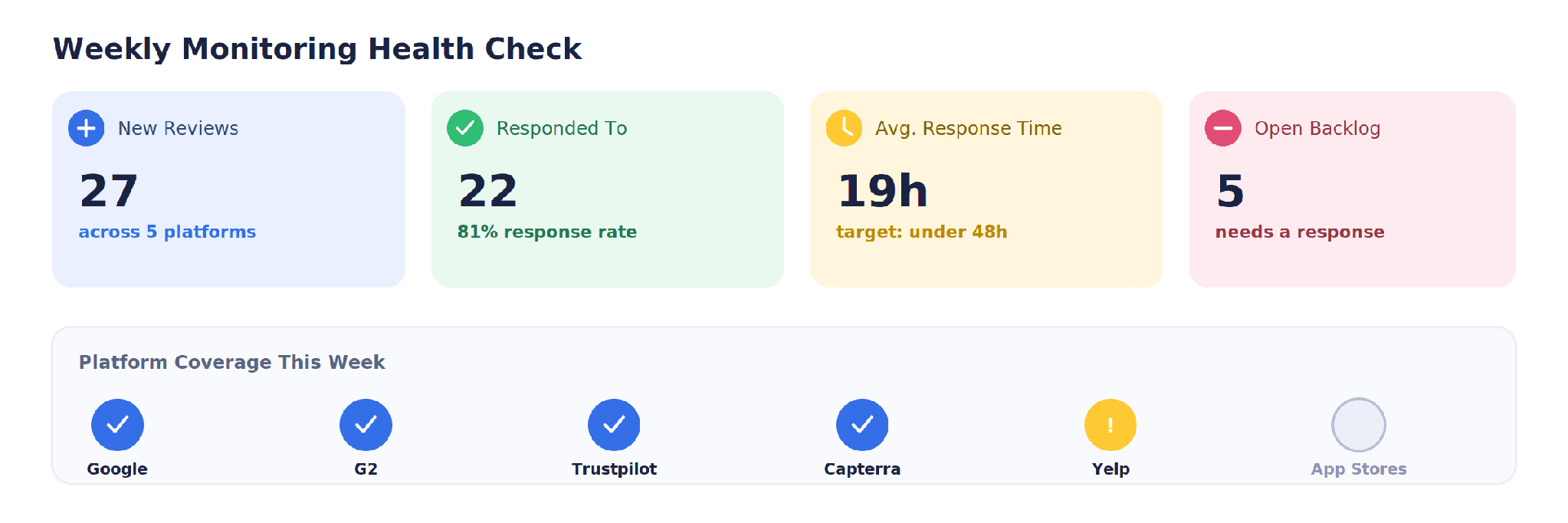
A simple weekly health check: new reviews, response rate, average response time, open backlog, and platform coverage.
A working process should be checkable at a glance, on a weekly or biweekly basis, using a small set of numbers:
New reviews — how many came in since the last check, and across which platforms.
Response rate — the percentage of new reviews, especially negative ones, that received a reply.
Average response time — how long it took to respond, measured against whatever internal standard the team has set.
Open backlog — how many reviews are still awaiting a response.
Platform coverage — whether every priority platform is actually being checked, since gaps tend to appear quietly on lower-traffic platforms first.
If response rate is consistently low or the backlog keeps growing, that's usually a signal the process needs a clearer owner or a lower-effort setup, not more platforms added on top of an already-struggling system.
This process covers monitoring specifically. Actually responding to and resolving what monitoring surfaces falls under review management, and the patterns that show up across reviews over time feed directly into broader reputation monitoring. Review sentiment also increasingly shapes AI visibility monitoring, since AI-generated answers draw on the same review platforms this process is built to track.
Final Thoughts
Monitoring online reviews doesn't require an elaborate system. It requires a specific list of platforms, a way to get notified when something new is posted, someone responsible for responding, and a regular check-in on the bigger patterns. Most of the failure points happen when one of those four pieces is missing, not because the underlying idea is complicated.
The practical next step is to run through the six-step process once, start to finish, even manually, before deciding whether a dedicated monitoring tool is worth adding. That first pass usually makes clear which platforms need more attention and where the process is most likely to break down without better tooling.
Let Subsig Handle the Monitoring Across Every Platform
Subsig centralizes review monitoring across Google, G2, Trustpilot, Capterra, and other platforms into one view, with alerts, response tracking, and trend reporting built in. If the process above sounds manageable for two platforms but daunting for six, that's usually the point where centralizing pays off.
Related Articles

AI Visibility

on
AI search in 2026: what's changed, and how businesses can adapt
Buyer research has moved onto AI platforms, and classic search clicks keep falling even as visibility grows. Most B2B brands remain invisible across the platforms their buyers now use. Here is what changed in 2026, and what adapting actually requires.

Brand Mention
on
How to choose the right prompts to track your AI visibility
Choosing the right prompts is the first step to tracking AI visibility effectively. Here are the five categories to cover, examples for each, and what a breakdown of visibility, sentiment, ranking, and sources actually reveals.
AI Visibility
on
SEO vs AEO: a building block, not a replacement
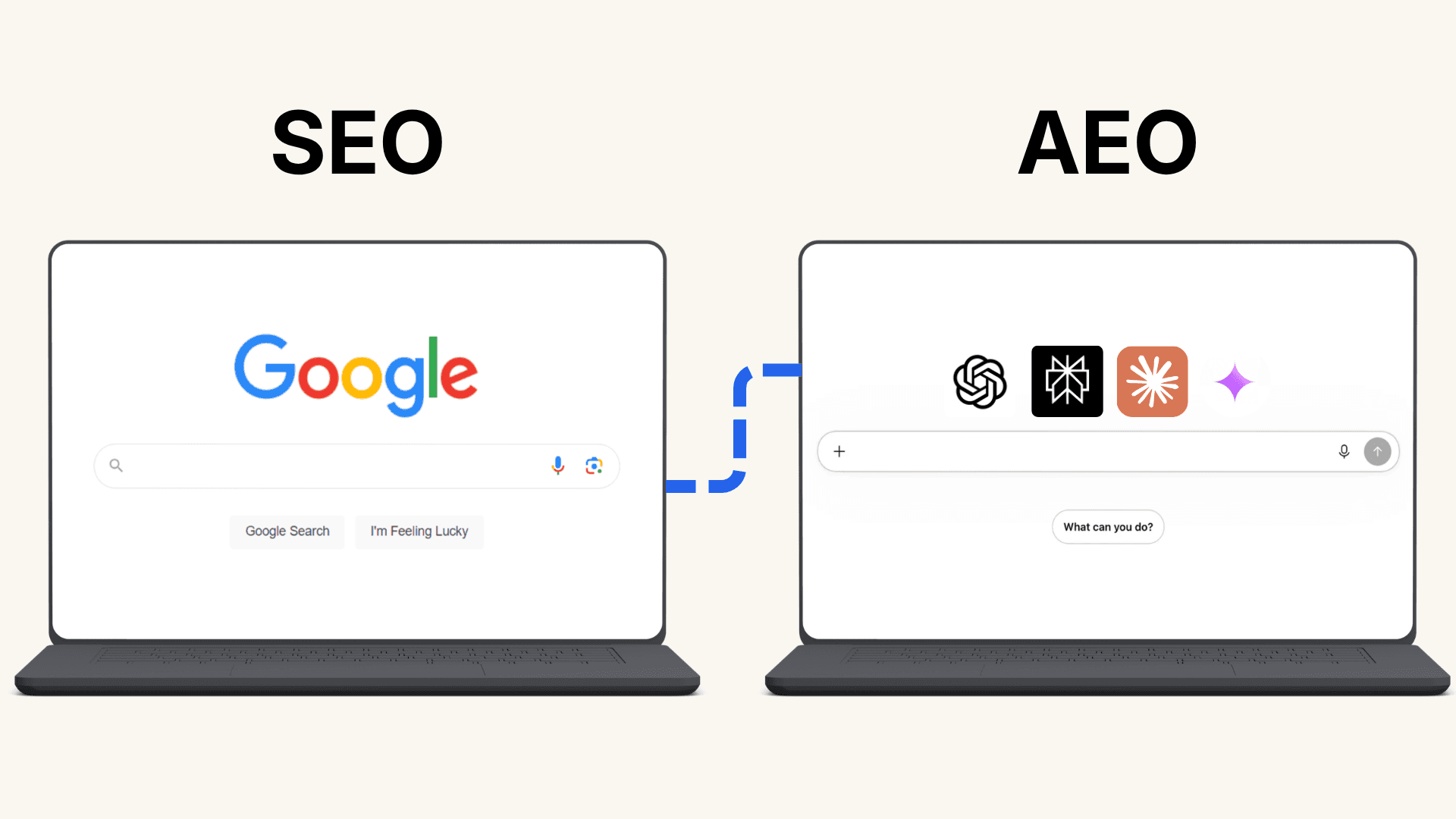
AEO can feel like a brand-new discipline to learn from scratch, right as clicks from Google search keep dropping. It isn't. AEO is built on the SEO fundamentals already in place, here's how the two actually work together.

AI Visibility
on
How online reviews improve AI visibility: why reviews matter
Online reviews give AI search tools more context about your brand by showing what real customers say about your products or services. Learn how reviews, reputation, and online mentions can support your AI visibility and help AI understand when your brand may be relevant.

AI Visibility
on
AI visibility: AI marketing that reaches decision makers
AI marketing isn't just content and ads anymore, it's how the buying committee actually finds you. Here's who's using ChatGPT, Perplexity, Claude, and Google AI Overview, and why missing even one of them can cost you the sale.

AI Visibility
on
August 2026 ranking dips explained: seasonal trends vs. AI visibility changes
Is your August ranking drop seasonal or AI related? Learn which SEO and AI visibility signals can help you find out.